 FischMate
STEP 01
Unzip FischMate
Extract the ZIP into its own folder. FischMate needs Python 3.10 or newer on Windows.
FischMate watches only the pixels on your Roblox window and sends normal mouse and keyboard input. No hidden executable. No memory reading. No injection.
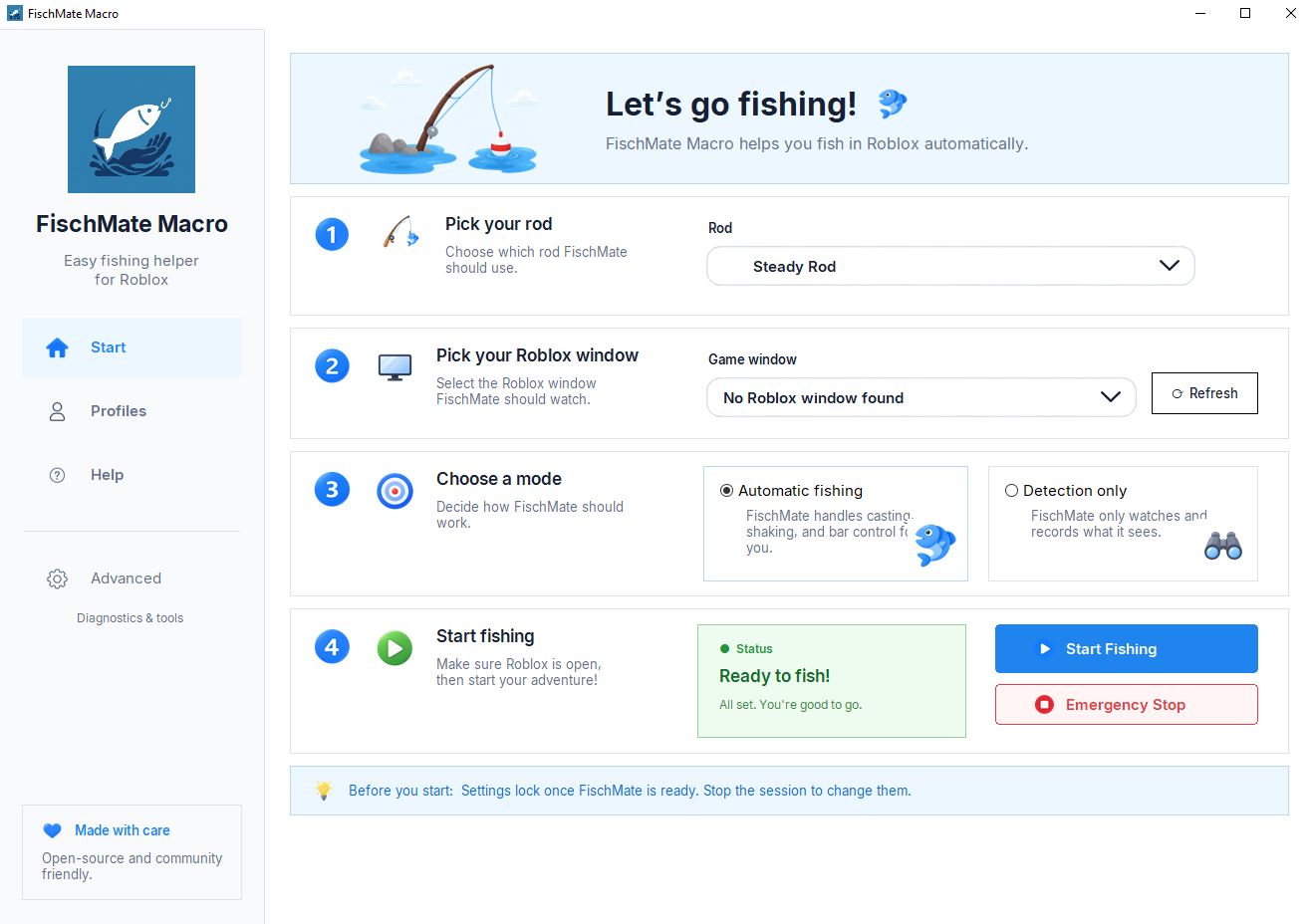
You do not have to trust a mystery file. Unzip FischMate, read the files, then double-click FischMate.vbs when you are ready.
FischMate.vbs. The first launch offers to run the one-time setup for you.No Command Prompt needed. The included launcher handles the one-time setup.
Extract the ZIP into its own folder. FischMate needs Python 3.10 or newer on Windows.
On the first launch, choose Yes when FischMate offers to run its one-time setup. Required packages stay inside the FischMate folder.
Choose your rod and Roblox window, then click Start Fishing. Focus Roblox and press P to begin. Press M to stop.
Search your rod below. If Free has it, download Free. Full Access is for extra color and mechanic configurations.
Not sure? Start with Free. You can upgrade later without learning a different app.
The full fishing engine plus 181 standard rod configurations.
Best place to start · newest GitHub release
232 configurations, including special colors and mechanics.
PayPal secure checkout · one-time payment · final-sale policy · under 18? Ask a parent or guardian first.
The important questions, answered in simple language.
Read the source on GitHub or inside the ZIP before you launch it. You can see how it captures the Roblox window and sends input. There is no .exe to hide the code.
No. FischMate looks at the pixels already visible on your screen. It does not read Roblox process memory, edit the client, or place code inside Roblox.
Full Access includes every Free configuration plus special rods that use different bar colors or mechanics. It is a one-time $2.99 payment with lifetime updates.
Install Python 3.10 or newer on Windows, extract the ZIP, and double-click FischMate.vbs. On the first launch, choose Yes when it offers to run Setup FischMate.vbs. Wait for the Setup complete message. Required packages stay inside the local .packages folder. Choose your rod and Roblox window, then click Start Fishing. Focus Roblox and press P to begin. Press M any time to stop.
Fisch allows external macros. Roblox lets each experience publish its own rules, while Roblox's platform rules still apply. FischMate stays outside Roblox: it does not inject code or read memory. FischMate is independent and is not affiliated with Roblox or Fisch.
Open the source, check the configuration list, then start with Free Access.